


- Description
- Additional information
Description
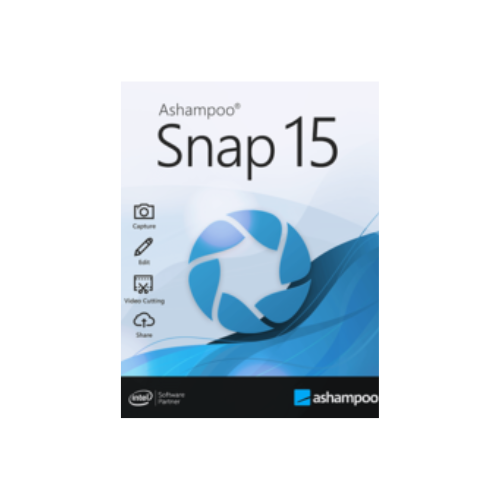
Ashampoo Snap 15 transcends the realm of screen captures and videos by capturing, with almost magical precision, everything that unfolds on your screen, thanks to its intelligent settings. Its completely revamped built-in editor handles post-processing and file management. It offers a wide range of tools to enhance your captures: automatic numbering, comments, shapes, cliparts, and other visual resources that add flair to your narrative! Whether you are working remotely, need a quick explanation of a procedure, or aim to create a comprehensive tutorial, Snap 15 equips you with the essential tools.
The very essence of Ashampoo Snap lies in its image editor, the beating heart of this application. It provides a variety of tools for annotating, enriching, and perfecting your captures with comments, arrows, cliparts, and effects. For Snap 15, this editor has undergone a complete overhaul! The goal? To offer you a streamlined, highly functional design that allows for distraction-free work. The result? Unprecedented visual clarity and intuitive handling in the world of screen capture editors!
Balancing simplicity and functionality is an ongoing challenge. The new image editor of Snap succeeds in combining ease of use with a powerful arsenal of features characteristic of our Snap lineup. Optimized workflows and favorites for quick access guide you towards your goals effortlessly. Even for new users, productivity is achieved in just a few minutes. Express your ideas and thoughts with style: turn a thousand words into a single image!
Ashampoo Snap is the ultimate companion for remote work. It perfectly complements your tasks with its screenshots and videos. At home or on the front lines, Snap makes your communication more effective and meaningful. Why? Because visualizing takes precedence over words! Capture everything you see on the screen and convey your message with annotations, cliparts, and effects. Capture, edit, and share your videos with ease. Ashampoo Snap offers a gentle learning curve and minimal hardware requirements, elevating your communication to the next level!
The activated “magic eye” of Snap automatically detects elements under your mouse pointer for precise and instant captures. That’s not all: Snap can capture rectangular or custom regions freehand, and even scrolling content! All sharing options are supported, including email and Ashampoo Webspace!
The multilingual OCR integrated into Ashampoo Snap is a major asset. Convert any text based on an image into editable computer text with a single click. Say goodbye to manual text entry and scan your documents instantly!
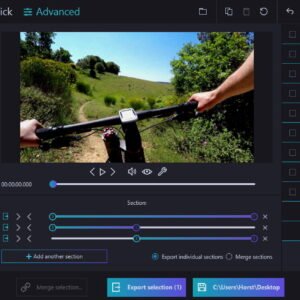
The quick video trimming feature of Ashampoo Snap allows you to keep what’s essential by eliminating ads or unnecessary scenes. Whether you casually capture, produce a webinar, or create a high-quality presentation, every video is a success!
Ashampoo Snap makes it easy to create educational videos or documentaries live, enriched with text,drawings and voice comments. Add watermarks to protect your intellectual property or integrate live streams from your webcam with a single click.
It supports multi-screen setups with various resolutions and DPI combinations, delivering maximum clarity. Each screen is captured at its resolution for instantly editable results.
Transform any video segment into a GIF with Ashampoo Snap. Set the start and end positions, activate the built-in converter, and there you go!
System requirements: Platform: Windows 11, 10 (64-bit), Processor: Intel Core i3, RAM: 2 GB, Available disk space: 250 MB for installation.
Additional information
| Version | 15 |
|---|

![[:fr]McAfee Total Protection Antivirus et sécurité Internet, 3 appareils[:]](https://prixsoft.com/wp-content/uploads/2025/05/MCafee-Internet-Security-3-appareils-2024-01-24T160114.362.png)
![[:fr]McAfee Safe Connect VPN, Sécurité et protection de la confidentialité sur Internet, 5 appareils 1an 2022[:]](https://prixsoft.com/wp-content/uploads/2025/05/MCafee-Internet-Security-3-appareils-2.png)


![[:fr]Adobe Photoshop Elements 2025 Licence 3 ans[:]](https://prixsoft.com/wp-content/uploads/2025/07/adobe-photoshop-elements-2025-windowsmac-85x85.png)

![[:fr]Ashampoo Money 26[:]](https://prixsoft.com/wp-content/uploads/2025/11/m-85x85.png)
![[:fr]Ashampoo Money 26[:]](https://prixsoft.com/wp-content/uploads/2025/11/mm-85x85.png)
![[:fr]WinZip 30 Standard[:]](https://prixsoft.com/wp-content/uploads/2026/01/mmmmmmmmm-85x85.jpg)
![[:fr]WinZip 30 Standard[:]](https://prixsoft.com/wp-content/uploads/2026/01/c-85x85.png)
![[:fr]Pinnacle Studio 26 Ultimate (2023)[:]](https://prixsoft.com/wp-content/uploads/2026/01/m-85x85.avif)
![[:fr]Pinnacle Studio 26 Ultimate (2023)[:]](https://prixsoft.com/wp-content/uploads/2026/01/mmm-85x85.jpg)
![[:fr]Pinnacle Studio 26 Standard (2023)[:]](https://prixsoft.com/wp-content/uploads/2026/01/l-85x85.png)
![[:fr]Pinnacle Studio 26 Standard (2023)[:]](https://prixsoft.com/wp-content/uploads/2026/01/lll-85x85.avif)

![[:fr]Ashampoo PDF Pro 4[:]](https://prixsoft.com/wp-content/uploads/2025/11/fd-85x85.png)
![[:fr]Ashampoo PDF Pro 4[:]](https://prixsoft.com/wp-content/uploads/2025/11/dfdf-85x85.jpg)
![[:fr]AOMEI Partition Assistant Unlimited 1 year[:]](https://prixsoft.com/wp-content/uploads/2025/05/MCafee-Internet-Security-3-appareils-98.png)