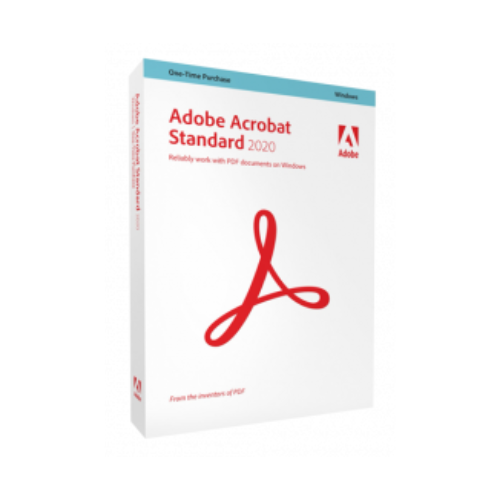
Adobe Acrobat Standard 2020 (1 user – perpetual)
380,55 £
- Description
Description
It seems you are looking for detailed information about Adobe Acrobat Standard 2020 for Windows, with no subscription required. Here’s a summary of the features and technical specifications of this version:
**General Features:**
– **PDF File Creation:** Convert, create, protect, combine, and share documents and images into PDF files.
– **Text Recognition:** Scan and recognize paper documents into indexable and editable PDFs.
– **PDF Version Comparison:** Compare two versions of a PDF to examine the differences.
– **PDF Document Editing:**
– Edit text and images, rearrange paragraphs on the page.
– Convert PDFs to editable Microsoft Word, Excel, or PowerPoint files.
– Manipulate PDF pages (insert, delete, rotate, reorganize).
– Remove confidential information from PDFs.
– Embed audio, video, and interactive objects into PDFs.
– **Sharing and Signing:**
– Insert comments.
– Collect legally-binding electronic signatures and track responses in real-time.
– Certify, verify, and digitally sign documents.
– Apply specific stamps to PDFs.
– Automatically optimize the size of PDF files.
– Prepare files for high-quality printing.
– **Interaction with PDF Files:**
– Store, manage, and share files online.
– Instantly access files on different devices.
– View, edit, and store files on cloud services such as Box, Dropbox, Google Drive, and Microsoft OneDrive.
– Compatible with Microsoft Information Protection solutions like Azure Information Protection and Office 365.
– Support for the MacBook Pro Touch Bar.
**Minimum System Requirements:**
– **Platform:** Microsoft® Windows® 10, Windows® 11, 8.1, 8, Microsoft Windows Server® 2019 (64 Bits), 2016 (64 Bits), 2012 R2 (64 Bits) and 2012 (64 Bits).
– **Processor:** 1.5 GHz or higher.
– **RAM:** 2 GB.
– **Disk Space:** 4.5 GB.
– **Graphics Card and Display:** Minimum resolution of 1024×768.
– **Browsers:** Internet Explorer 11, Firefox, Chrome.
This version allows for the creation, editing, sharing, and signing of PDFs without a subscription. It offers extensive features for efficiently working on your PDF documents and converting them to Microsoft Office formats while maintaining security and accessibility.
![[:fr]McAfee Total Protection Antivirus et sécurité Internet, 3 appareils[:]](https://prixsoft.com/wp-content/uploads/2025/05/MCafee-Internet-Security-3-appareils-2024-01-24T160114.362.png)
![[:fr]McAfee Safe Connect VPN, Sécurité et protection de la confidentialité sur Internet, 5 appareils 1an 2022[:]](https://prixsoft.com/wp-content/uploads/2025/05/MCafee-Internet-Security-3-appareils-2.png)


![[:fr]microsoft pack office 365 famille[:]](https://prixsoft.com/wp-content/uploads/2025/05/microsoft-pack-office-365-famille.jpg)
![[:fr]Adobe Photoshop Elements 2025 Licence 3 ans[:]](https://prixsoft.com/wp-content/uploads/2025/07/adobe-photoshop-elements-2025-windowsmac-85x85.png)
![[:fr]Microsoft 365 Personnel[:]](https://prixsoft.com/wp-content/uploads/2025/05/MCafee-Internet-Security-3-appareils-38.png)
![[:fr]WinZip 30 Standard[:]](https://prixsoft.com/wp-content/uploads/2026/01/mmmmmmmmm-85x85.jpg)
![[:fr]WinZip 30 Standard[:]](https://prixsoft.com/wp-content/uploads/2026/01/c-85x85.png)
![[:fr]Pinnacle Studio 26 Ultimate (2023)[:]](https://prixsoft.com/wp-content/uploads/2026/01/m-85x85.avif)
![[:fr]Pinnacle Studio 26 Ultimate (2023)[:]](https://prixsoft.com/wp-content/uploads/2026/01/mmm-85x85.jpg)
![[:fr]Pinnacle Studio 26 Standard (2023)[:]](https://prixsoft.com/wp-content/uploads/2026/01/l-85x85.png)
![[:fr]Pinnacle Studio 26 Standard (2023)[:]](https://prixsoft.com/wp-content/uploads/2026/01/lll-85x85.avif)


![[:fr]Ashampoo Driver Updater[:]](https://prixsoft.com/wp-content/uploads/2023/11/dddd-85x85.png)
![[:fr]AOMEI Backupper Technician 1 Year[:]](https://prixsoft.com/wp-content/uploads/2025/05/MCafee-Internet-Security-3-appareils-88.png)